 EmailDJ
REMEMBER THE PERSON BEHIND THE THREAD
Find the contact. Recover the context.
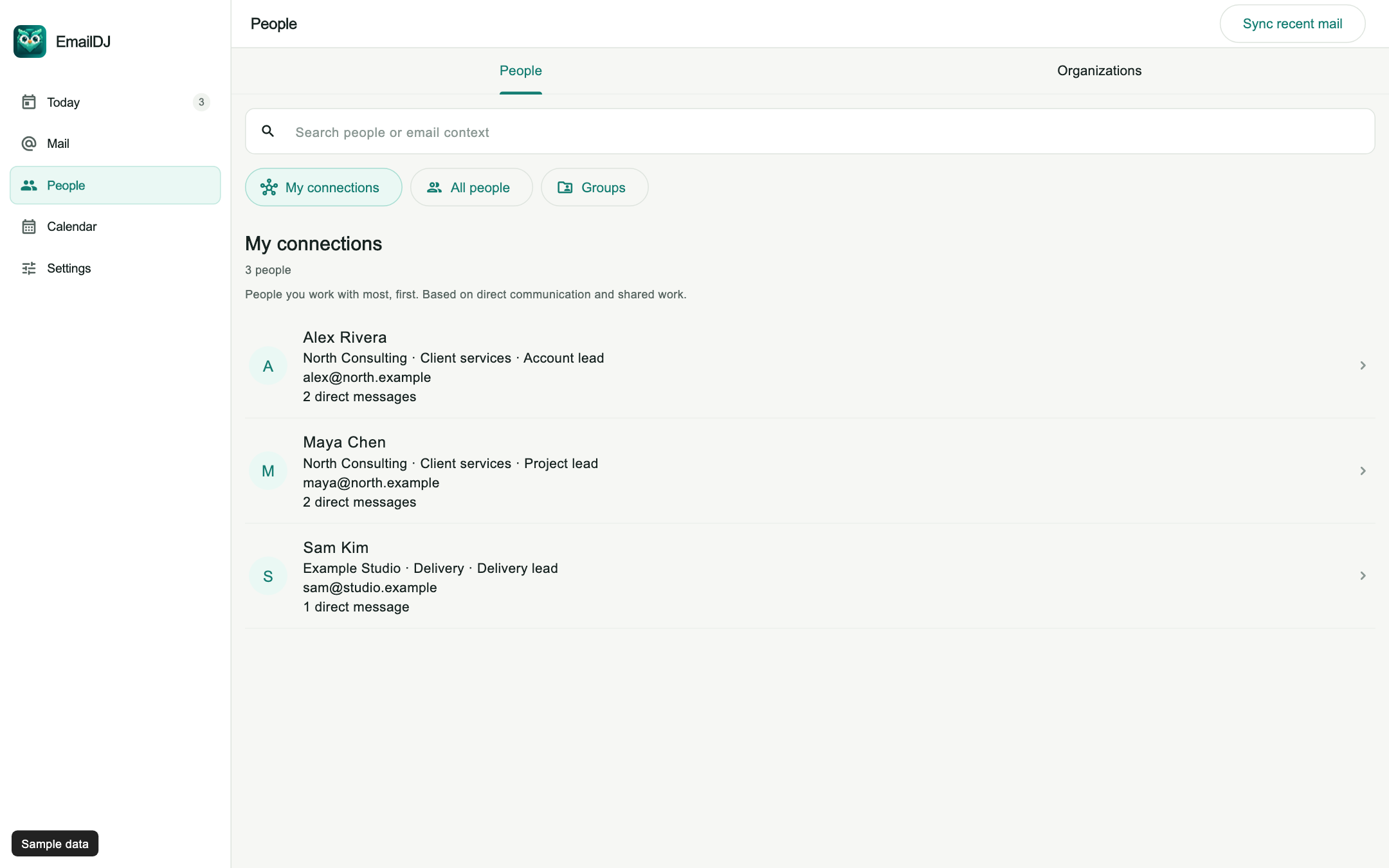
Email contact management organizes the people in your correspondence with the context needed for the next interaction. EmailDJ's People view brings together contact details, organization information, communication history and related work for individual client relationships.
EmailDJ is an AI email workspace for independent consultants. It brings tasks, outstanding replies, people and next actions together, with the original correspondence available for review.
01 / contact context
Go beyond a name and an email address
A useful contact record helps you answer practical questions: who is this person, which organization are they connected to, and what did we last discuss? An address alone is often insufficient when someone forwards a topic, changes teams or shares a common name with another contact.
EmailDJ's People view provides a searchable contact list with fields such as name, email, phone, company, department and role when that information is available. Contact context comes from correspondence and known information, so missing details can remain unknown. Check the actual address and source before relying on an inferred role or assuming two similarly named people are the same person.
02 / contact context
Find the person before choosing the next recipient
- Search for the contact. Start with the name, address or organization information you know.
- Inspect the profile. Check role and organization details against the correspondence when they affect the decision.
- Review recent communication. Recover what was discussed and whether a request is still open.
- Choose the actual recipient. Verify To and CC in the reply rather than copying every address from a previous message.
Simple People searches stay local and immediate. More complex questions can use AI in the background. The point of that distinction is practical: finding a known person should not require you to wait for a new interpretation of your entire inbox.
03 / contact context
Keep organization identity and personal responsibility separate
An organization can appear under several names, domains or translated forms. At the same time, several people can work at one organization without sharing the same responsibilities. Grouping contacts is useful only if you preserve that distinction.
EmailDJ uses domain evidence and configured organization information to help organize relationships. You can inspect the relevant people and departments, then return to the conversation to determine who actually owns a request. Being a coworker, appearing in CC or having answered a similar question in the past is not enough to establish a universal duty. Contact context helps you ask the right person; it does not replace evidence of responsibility.
04 / contact context
Use relationship context before a meeting or reply
Before contacting a client, look at recent exchanges and the work associated with the topic. Check whether they already supplied the information you need, whether a colleague took over, or whether you owe something from the last conversation. This makes the next message more specific and reduces requests for information that was already provided.
This page focuses on individual client correspondence. If you need newsletter subscribers, campaign segmentation, lead scoring or a shared sales pipeline, assess those capabilities separately. EmailDJ's contact workflow is about understanding the people in your working conversations and connecting them to tasks, pending answers and the original mail.
CHOOSE WHAT FITS
Which kind of contact management do you need?
| Approach | Main purpose | Typical context |
|---|---|---|
| Address book | Find a person's details | Name and contact fields |
| Marketing list | Manage a subscriber audience | Subscriptions and campaign segments |
| CRM pipeline | Manage a sales process | Deals, stages and team activity |
| EmailDJ People | Recover individual correspondence context | People, organizations, recent mail and related work |
AN ILLUSTRATIVE EXAMPLE
A familiar company, a different decision-maker
In a fictional engagement, Alex forwards a launch request that Maya previously handled. Before replying, open Alex's contact context and review the latest correspondence. Maya may still be the approver, while Alex is coordinating the review rather than deciding it.
The useful next move is to confirm the person responsible for the specific decision and address that question appropriately. Do not infer authority from who forwarded the message or from which company domain appears in the address. Once the role is clear, the same context can help you review a drafted reply and select To and CC deliberately.
Explore the People walkthrough and see the sample organization view.
BEFORE YOU START
Common questions
Does EmailDJ know every contact's job title?
Only information supported by available correspondence or known contact data should be used. Treat missing or uncertain identity details as unknown and check them when they affect a decision.
Is this a newsletter contact-list tool?
The workflow described here is for people and organizations in your working email. It does not promise marketing-list management or bulk campaign sending.
Can I inspect a contact's communication history?
Yes. The People walkthrough shows contact profiles and recent communication. Use those views to recover context before returning to the relevant message or task.
LESS INBOX. MORE FOLLOW-THROUGH.
Try it with the work already in your inbox.
Explore the sample screens, check your mailbox setup, then choose the plan that fits. AI included and bring-your-own-key plans are available; AI usage and billing terms are explained with the plans.