 EmailDJ
FROM CONVERSATION TO ACTION
An email task manager that keeps the whole story.
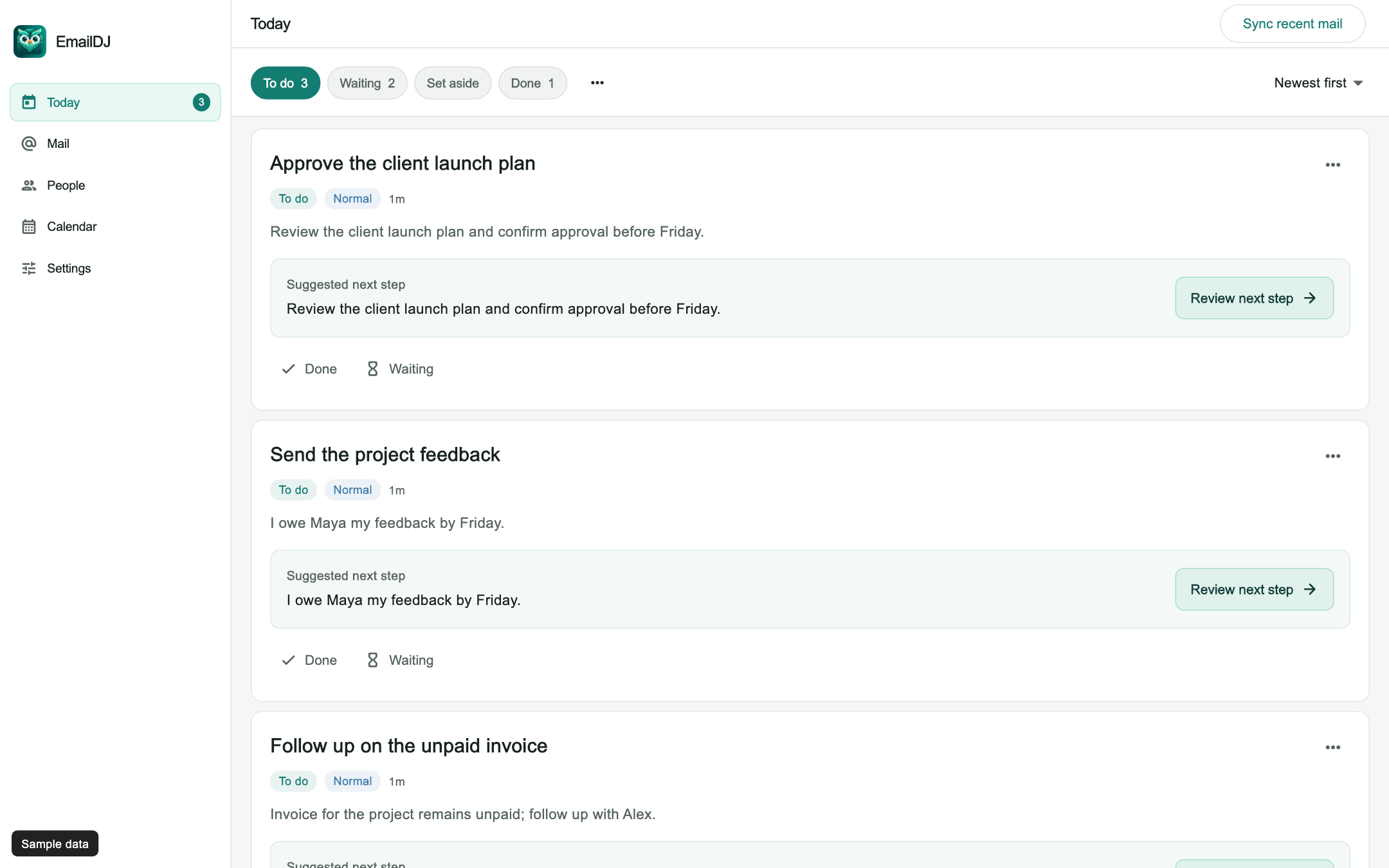
An email task manager turns requests and commitments in your correspondence into work you can track. EmailDJ groups related messages around a topic, helps identify your next action, and keeps To do, Waiting and Done connected to the original emails.
EmailDJ is an AI email workspace for independent consultants. It brings tasks, outstanding replies, people and next actions together, with the original correspondence available for review.
01 / email tasks
Turn the request into a clear next action
A useful task says what needs to happen, who is responsible and what evidence supports it. An email subject rarely provides all three. “Re: next week” might contain a request to review a plan, a promise to send figures, or an update that requires no work from you. Treating every message as a new task makes the list longer without making the day clearer.
EmailDJ analyzes Inbox and Sent correspondence to help separate those cases. Related replies and forwards can contribute to one topic, so the task retains its history as the conversation changes. You can inspect the original message instead of trusting a detached summary or reconstructing the request from memory.
02 / email tasks
Use To do, Waiting and Done deliberately
To do holds work that needs your attention, including a response, decision or explicit commitment you made. Waiting means another person owes an answer or deliverable. Done records completed work. These are different situations, even when they all started in one email thread.
- Review the request. Check the actual author, recipients and current conversation before accepting responsibility.
- Choose the right disposition. Keep your own next step in To do, or use Waiting when the next move belongs to someone else.
- Return to the source. Recheck the latest evidence before replying or marking the work complete.
Set aside gives you a quieter place for something you intentionally pause. It is separate from waiting for a client. You can resume it manually, and genuinely new related incoming human mail can bring it back into view.
03 / email tasks
Keep a conversation from becoming five disconnected tasks
Suppose a client requests an estimate, clarifies the scope, and then forwards the same discussion to a colleague. Copying each message into a separate list can leave three apparently open requests after you have already answered the first two. The important question is what remains unresolved in the topic now.
EmailDJ keeps source correspondence available alongside its view of current work. That lets you check whether the estimate is still yours to prepare, already sent and awaiting review, or superseded by a new request. AI can help with that interpretation, but you keep control of responsibility, priority and status corrections.
04 / email tasks
Evaluate an email-to-task workflow with real client work
Start with a small set of recognizable conversations: an unanswered request, a promise you made, a completed delivery and a message where you were only copied. Check that the system distinguishes them. Then open a task and ask whether the evidence makes the next step understandable without a second search through your mailbox.
Also check what happens after a reply. A useful workflow carries forward the remaining work rather than considering every new message a fresh beginning. If you need an external project plan with resourcing, budgets or a shared team board, assess that separately. EmailDJ focuses on the work and relationships already present in your correspondence.
CHOOSE WHAT FITS
Copying an email vs. keeping its context
| Approach | What you keep | What you review |
|---|---|---|
| Flag or star | A marker on a message | The thread to work out the action |
| Manual task list | The action you type | Whether later replies changed it |
| EmailDJ | Topic, task and source correspondence | Responsibility, current state and suggested next step |
AN ILLUSTRATIVE EXAMPLE
One estimate, three different states
In this fictional exchange, Sam asks you for a revised estimate. Your next step is to prepare it, so the work belongs in To do. You send the estimate and ask Sam to confirm the assumptions. The open request is now waiting for Sam, rather than another copy of the drafting task.
Sam replies that the scope is correct but the budget still needs finance review. That is progress, not the final budget answer. Keep the outstanding decision visible and check it before sending another message. The source emails explain why the work is still open.
Explore the Today walkthrough or learn more about tracking your own email commitments.
BEFORE YOU START
Common questions
Does every email become a task?
No. Reference information, receipts and copied requests are different from work you owe. Review the evidence and correct a task when its responsibility or status needs adjusting.
Do I have to rewrite every email as a task?
EmailDJ uses AI to help identify work and next actions from correspondence. You review its interpretation and can change the result rather than starting with a blank task form.
Can I check the original request?
Yes. The source conversation remains available with the task. Use it to verify dates, scope, recipients and whether a later reply changed what is needed.
LESS INBOX. MORE FOLLOW-THROUGH.
Try it with the work already in your inbox.
Explore the sample screens, check your mailbox setup, then choose the plan that fits. AI included and bring-your-own-key plans are available; AI usage and billing terms are explained with the plans.