 EmailDJ
KNOW WHAT YOU PROMISED
The promise in your sent email is still work to do.
To track email commitments, record what you explicitly promised, who expects it, any supported due date, and what counts as delivery. EmailDJ uses Inbox and Sent context to help distinguish your own obligations from requests waiting on other people.
EmailDJ is an AI email workspace for independent consultants. It brings tasks, outstanding replies, people and next actions together, with the original correspondence available for review.
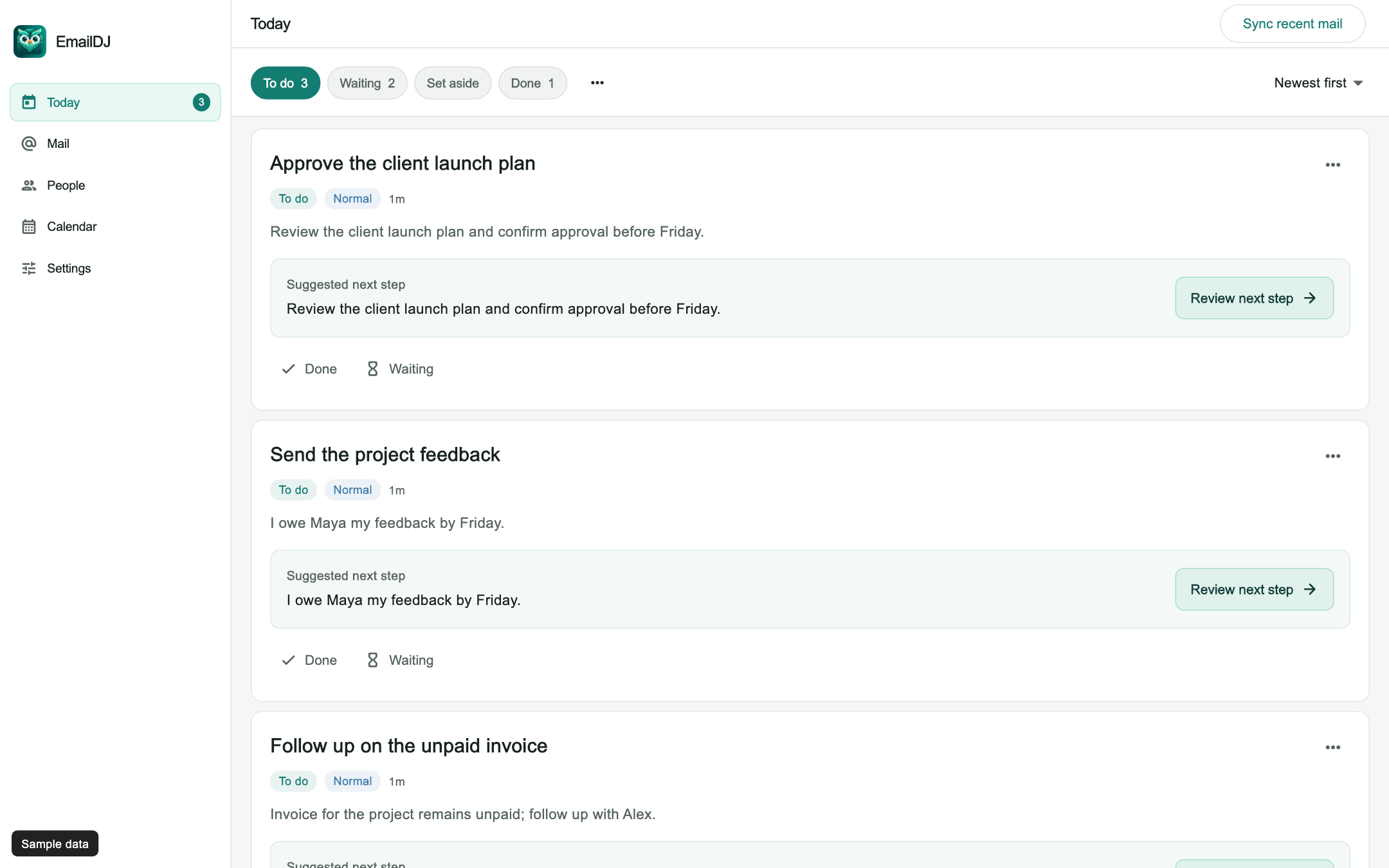
01 / email commitments
Read Sent as a record of your own next steps
Sending a reply can feel like finishing a task even when the reply creates another one. “I will send the revised estimate” is an obligation to prepare and deliver the estimate. “Please confirm the estimate” asks the other person to act. Those messages may appear in the same conversation, but the next move belongs to different people.
EmailDJ considers authored sent messages as part of the work context. It helps keep explicit owner commitments in To do and outgoing requests in Waiting. That distinction matters when you review a busy week: you need to see both what you owe and what prevents other work from moving, without confusing a sent message with a completed deliverable.
02 / email commitments
Keep the obligation precise
- Find the actual promise. Use your authored wording rather than treating an old quoted request as something you just accepted.
- Check its scope. Identify the deliverable and the person expecting it. Helping with one question does not mean accepting every future request on the topic.
- Check the date. Preserve what was stated. If no delivery date was agreed, clarify it instead of inventing one.
- Define completion. Know whether you owe a draft, a final file, an introduction or an answer.
A copied request is not automatically yours. A suggestion that you might help is different from an explicit promise. When responsibility is unclear, inspect the correspondence and correct the task before planning work around it.
03 / email commitments
Preserve conditions and changed dates
“I can finish after you send the figures” contains a condition. It should not become an unconditional promise to finish before the figures arrive. Likewise, a later agreement can change a date or narrow the deliverable. A useful view of commitments needs the current position and the evidence that explains the change.
When a client supplies part of the input, check whether the condition is actually satisfied. When you renegotiate a date, confirm it in the conversation. EmailDJ's topic history helps you review those developments. Your explicit corrections remain important; AI interpretation should help you find evidence rather than replace the agreement you made with the client.
04 / email commitments
Review delivery before marking the work complete
A progress reply is useful, but it may leave the promised result outstanding. Before moving an obligation to Done, check what was actually sent and whether it matches the commitment. If you promised a final estimate, a message saying that you are preparing it is not the same as delivering it.
Use a short end-of-day review of your commitments, especially promises made in quick replies between work sessions. Calendar can help you inspect dated obligations, while the task retains its conversation. If you need to prepare a client update about changes, build the report from email evidence and keep plans separate from completed work.
CHOOSE WHAT FITS
What did the message actually establish?
| Statement | Meaning | What to track |
|---|---|---|
| I will send the estimate | Your explicit commitment | Your remaining delivery |
| Please send the figures | A request to another person | Their outstanding result |
| I can review once the file arrives | A conditional offer or commitment | The condition and actual scope |
| Thanks, received | An acknowledgement | Any request that remains unanswered |
AN ILLUSTRATIVE EXAMPLE
An introduction is more than a helpful reply
Imagine you tell Maya that you will introduce her to Sam. That creates a specific next step for you. If you then ask Sam whether he is available, Sam's response becomes an external dependency; it does not mean the introduction has already happened.
When Sam agrees, review the recipients and send the introduction you promised. The evidence for completion is the actual introduction, not your initial offer or Sam's acknowledgement. If Sam declines, explain the changed situation to Maya instead of keeping an impossible next step open indefinitely.
Explore the sample Today view and learn how Waiting handles the other side of a request.
BEFORE YOU START
Common questions
Does every helpful reply establish a duty?
No. An answer, acknowledgement, refusal, redirection and commitment mean different things. Review the wording and scope rather than generalizing from one past reply.
What if the commitment has no date?
Treat the date as unknown until it is supported or agreed. You can clarify the expectation with the other person rather than relying on an invented deadline.
Can I correct responsibility?
Yes. Review the task against its source and use your explicit responsibility and status decisions to keep the work accurate.
LESS INBOX. MORE FOLLOW-THROUGH.
Try it with the work already in your inbox.
Explore the sample screens, check your mailbox setup, then choose the plan that fits. AI included and bring-your-own-key plans are available; AI usage and billing terms are explained with the plans.