Open your day.
Know what’s yours.
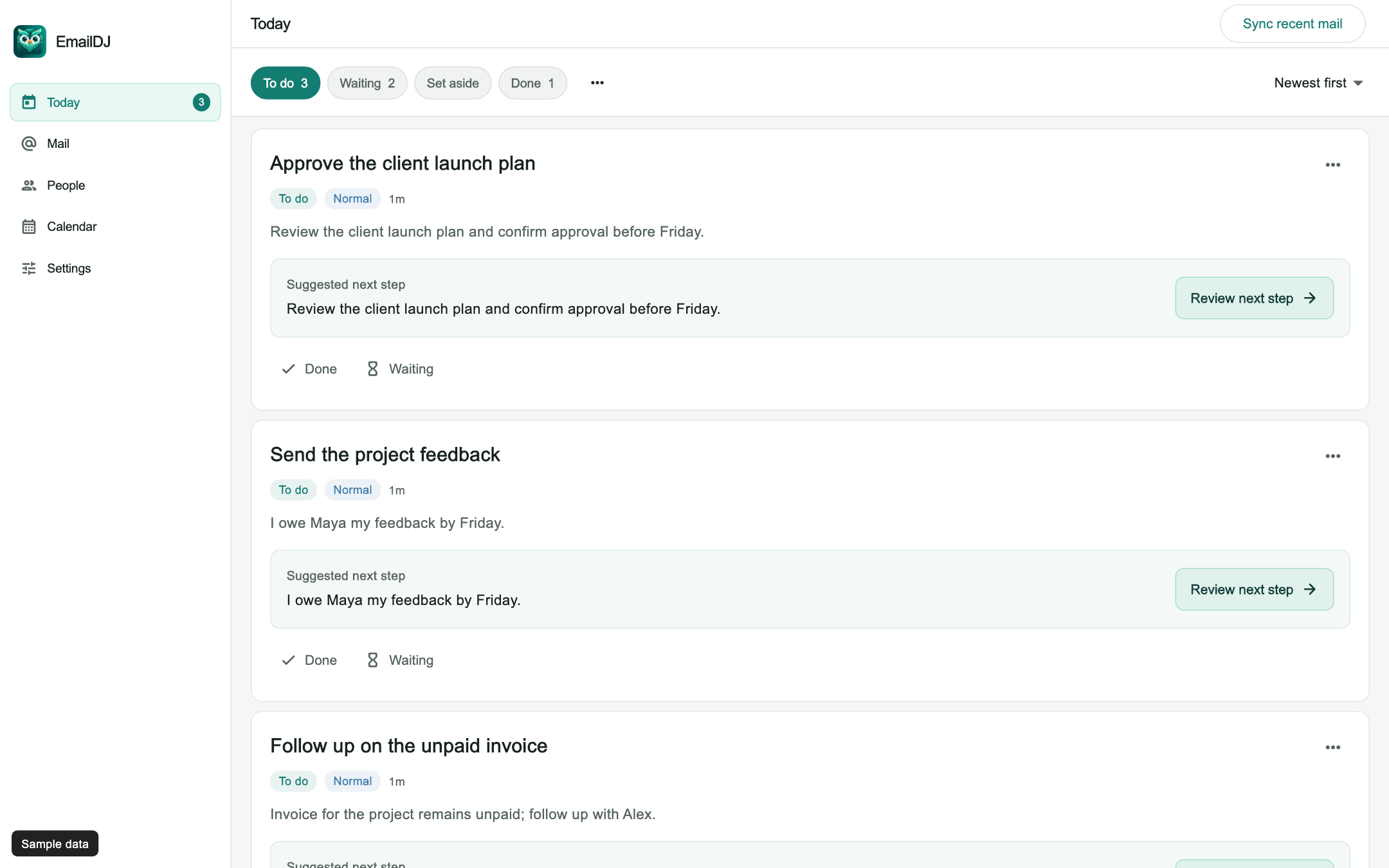
See the tasks that need your attention, with the original conversations attached. Keep To do, Waiting, and Done separate. Set aside what can wait.
Turn client emails into clear next steps. Keep every approval, promise and unanswered reply in sight across all your clients, without living in your inbox. Less inbox. More follow-through.
Works with Outlook, Microsoft 365, Gmail, Google Workspace, and Apple iCloud. See the quick setup guide ↗
INSIDE EMAILDJ
Click a highlighted task, person or control to open its next screen.
Sample data only. Nothing in this tour connects to a mailbox, calls AI or sends email.
SOUND FAMILIAR?
With several clients at once, the hard part isn’t replying. It’s remembering what each one agreed to and who owes you what.
“What did we decide?”
“Was that mine to do?”
“Who am I waiting on?”
That’s a lot to keep in your head.
EmailDJ gives it a place to live.
FROM “I’LL COME BACK TO THIS” TO DONE
See the tasks that need your attention, with the original conversations attached. Keep To do, Waiting, and Done separate. Set aside what can wait.
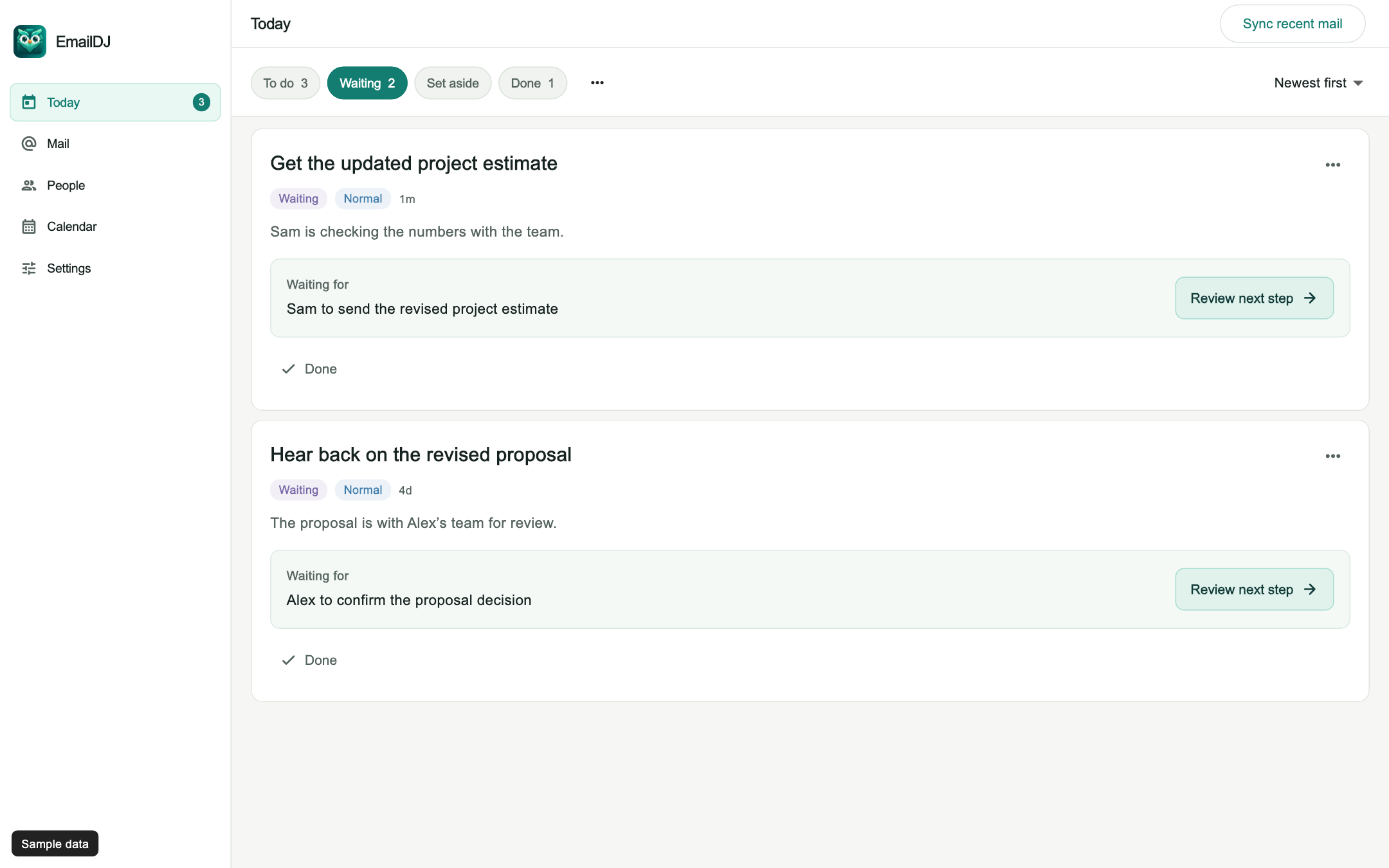
A proposal sent. A question asked. A decision pending. Keep your open loops together, so following up doesn’t depend on remembering to remember.
You sent the revised proposalTuesday, 10:24 AM
Alex is reviewing with the team“I’ll get back to you by Friday.”
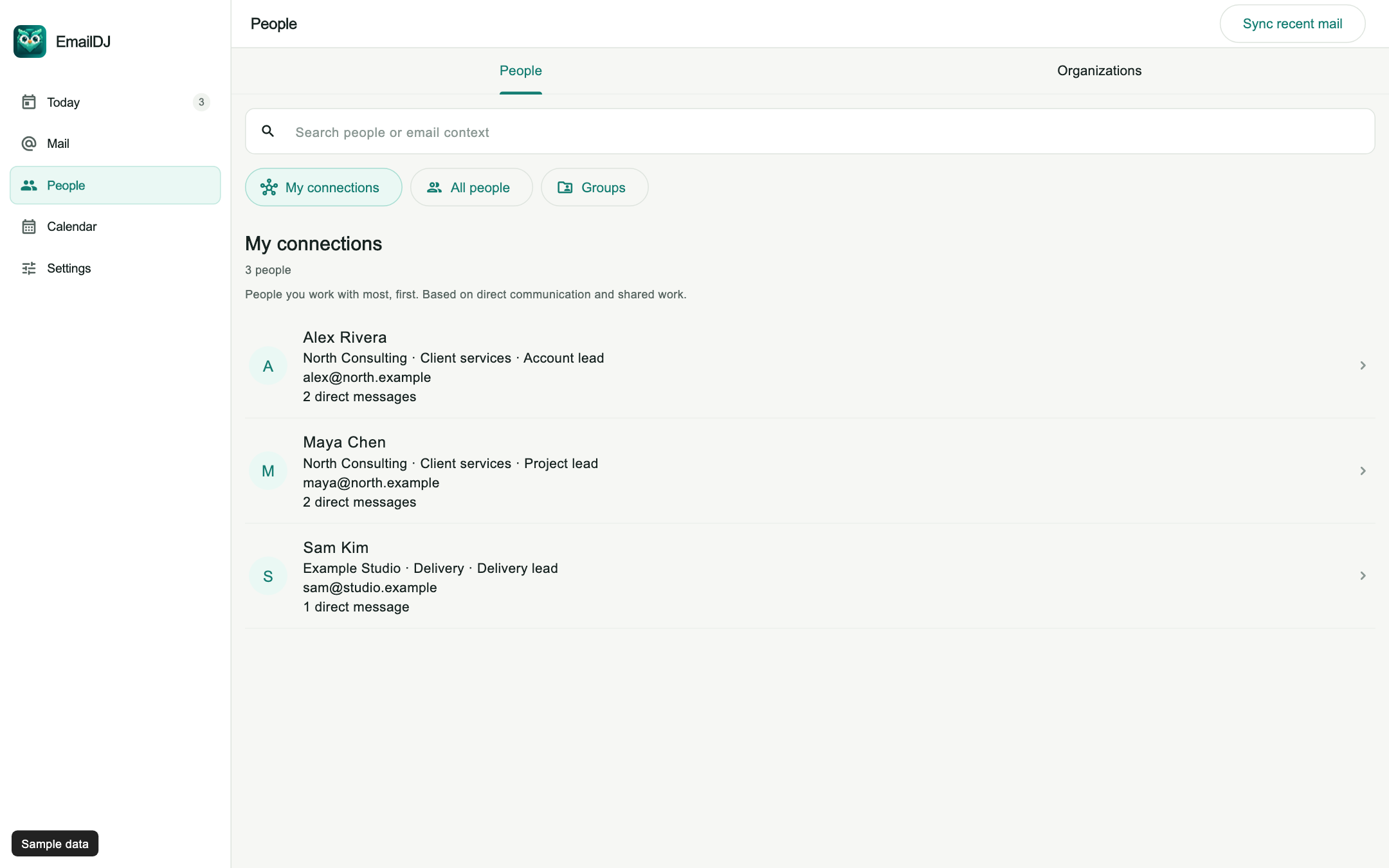
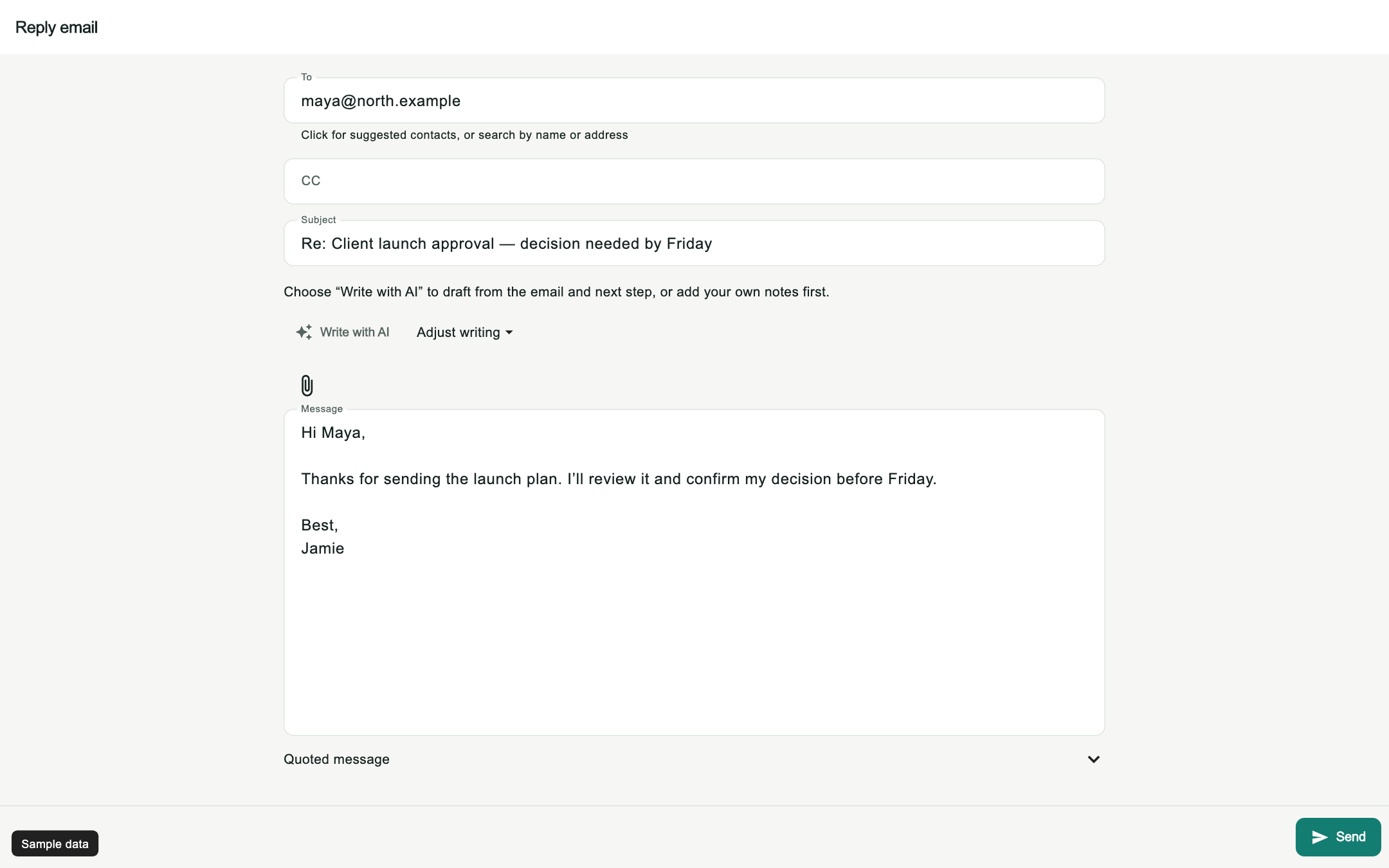
Keep relationship context and useful knowledge close. Let AI help prepare a reply, then review the words and recipients yourself. You make the final call.
Explore the current app screensHi Maya,
Thanks for sharing the updated plan. I’ll review the timeline and send my feedback before we share it with the team.
Best,
Jamie
DON’T LET THE BIG DECISIONS GET BURIED
A renewal that needs approval. A customer at risk. A blocker holding up delivery. EmailDJ helps surface consequential decisions in your mail, so you can see what needs attention and why.
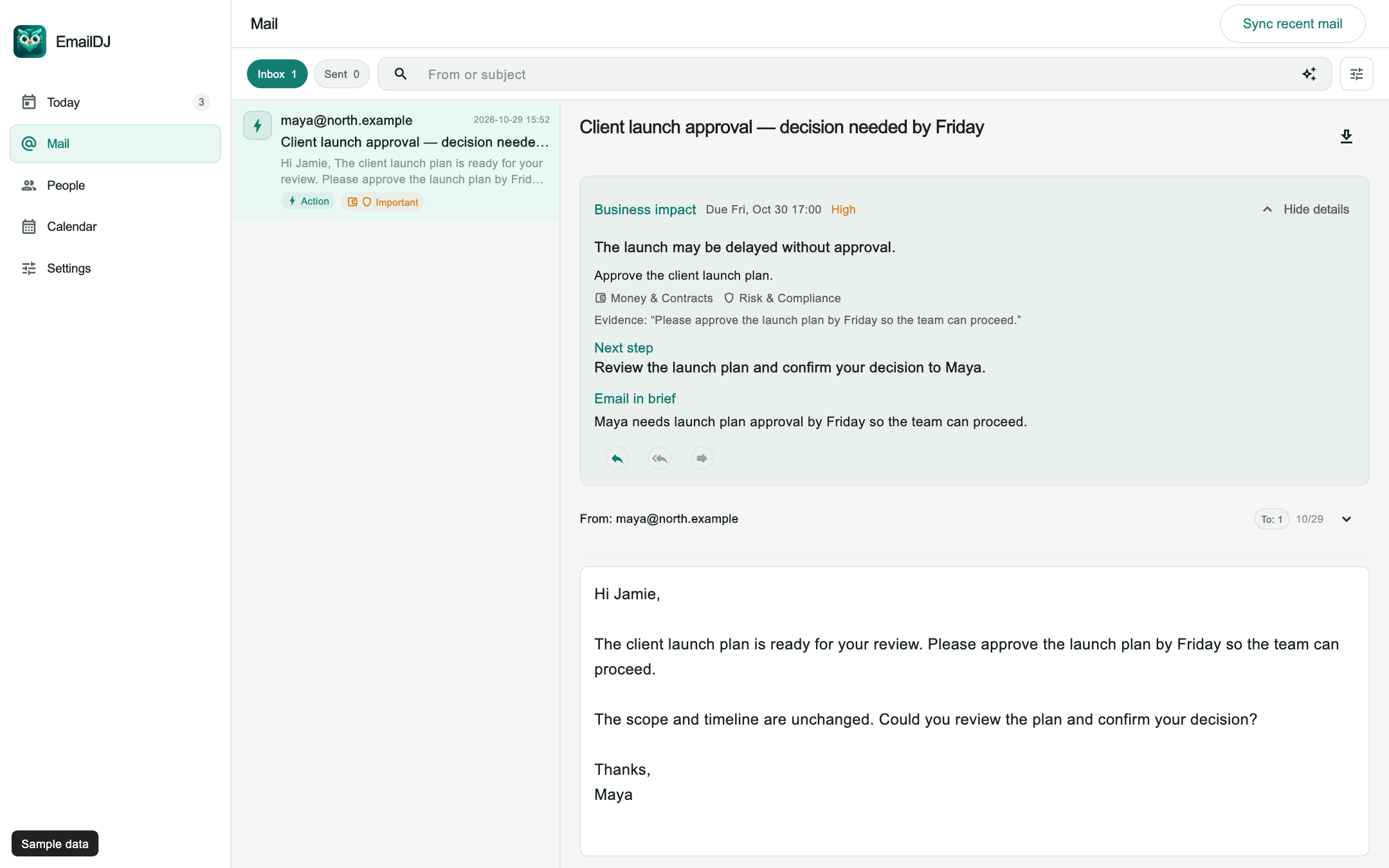
See Business impact in the app ↗Understand the potential business consequence, with the original email as evidence.
Supported deadlines appear in Calendar. Filter by Business impact to focus on consequential items.
Open the source, review the suggested next step, and make your own call.
Every flagged decision links directly to the original email quote—so you can verify the exact wording in one click before making the call.
Choose EmailDJ Cloud or use your own AI provider. Review drafts before sending, correct saved knowledge, and export your workspace when you need it.
YOUR INBOX DESERVES A CLEAR ANSWER
Useful AI starts with informed choices about your email.
Cloud mailbox tokens, mail passwords and saved AI keys are encrypted with AES-256-GCM. The web service uses HTTPS.
Relevant email context is sent through EmailDJ’s service to the selected AI provider. This also applies when you bring your own key. Provider data policies apply.
Review replies before sending, correct saved knowledge, export your cloud workspace from your account, and manage cancellation through Billing.
PICK YOUR WAY TO WORK
Bring your own AI key, or let EmailDJ Cloud handle it. Built for client-facing inboxes of around 2,000 emails a month. Your mail, tasks, people and context stay together.
Try EmailDJ free for 7 days. See how it fits your real inbox. Cancel in two clicks anytime before day 7 in Billing and pay $0—no cancellation fees.
For consultants who want zero AI setup.
Selected: $19.00 per month
For people who already use their own AI key.
Selected: $9.00 per month
*Your first 7 days are free on eligible monthly and annual subscriptions. Cancel through Billing before the trial ends to avoid the first subscription charge. Cancel anytime with no cancellation fee. Payment method required; your selected plan starts billing automatically after the trial unless cancelled. Returning subscribers may be charged immediately. BYOK lifetime is a single payment with no trial or recurring charge. Final price, currency, and taxes are shown at checkout. Read billing and cancellation terms ↗
START WHERE YOU ALREADY WORK
Open your full workspace instantly in Chrome, Edge, Safari, or Firefox. Zero installation required—one account and subscription across all your devices.
Open the web app ↗Coming next to your EmailDJ account: Native desktop apps for macOS and Windows + Android companion app.
Connect Outlook and Microsoft 365 in one click with Microsoft sign-in. Connect Gmail, Google Workspace, Apple iCloud and custom IMAP mailboxes with an App Password. It’s separate from your main password and stored encrypted. Google and Apple App Passwords can be revoked from your account at any time. Everything stays synced in one clean workspace.
Choose your mailbox and follow the setup guide ↗MAKE CLIENT WORK EASIER TO FOLLOW
Explore practical ways to manage email tasks, follow up with clients and keep the next decision clear.
Turn client conversations into work you can act on, with the source email attached.
Explore email tasks 02See who owes you an answer, what is still missing and which conversation to reopen.
Explore follow-up tracking 03Keep client requests, your promises and pending decisions clear across engagements.
Explore consultant workflows 04Keep the decision, approver and remaining questions attached to the email evidence.
Explore client approvals 05Use a specific, respectful message to clarify a proposal decision or the next review date.
Explore proposal follow-ups 06Write a short follow-up that names the missing answer and makes replying easier.
Explore unanswered emails 07Keep the promises you made distinct from requests you sent to other people.
Explore email commitments 08Find the right client contact with their role, organization and communication history.
Explore contact context 09Prepare an editable response from the conversation, then review recipients and promises.
Explore reviewed AI replies 10Build a client update from confirmed progress, open dependencies and source correspondence.
Explore email-based reportsGOOD QUESTIONS.
What to know before you get started.
EmailDJ brings email and the work behind it together. Turn conversations into tasks, track what you’re waiting on, keep context about people, and use AI to prepare replies you can review and edit.
Business impact highlights unresolved decisions involving money and contracts, risk and compliance, customers, and operations. Review the potential consequence, source evidence and suggested next step. Supported deadlines appear in Calendar, with a Business impact filter. AI suggestions need your review; EmailDJ does not guarantee that every decision will be detected.
No. EmailDJ works with the email address you already use. Sign in to your EmailDJ workspace with Google, Microsoft, or a quick email code, then connect your mailbox via one-click Microsoft OAuth (for Outlook and Microsoft 365) or a guided App Password setup (for Gmail, Google Workspace, Apple iCloud, and custom IMAP). Signing in does not start a subscription.
No. AI helps you understand conversations and prepare drafts. You review the recipients, edit the message, and choose when to send.
Both include the connected workspace. BYOK uses your own AI provider key, with usage billed separately by that provider. AI included provides EmailDJ Cloud with a defined AI allowance and also lets you use your own provider.
EmailDJ is designed for client-facing inboxes of around 2,000 emails per month. Promotional newsletters and other non-task mail can be kept out of tasks.
Yes. Eligible first-time monthly and annual subscribers get a 7-day free trial. A payment method is required, but cancel anytime through Billing before the trial ends and you will not be charged a subscription fee. There is no cancellation fee. If you keep the subscription, your selected monthly or annual plan starts billing automatically when the trial ends. Returning subscribers may be charged immediately. BYOK lifetime is a one-time purchase without a trial; your own AI provider may charge separately for BYOK usage.
The connected service stores mailbox content and encrypted credentials to provide your workspace. Relevant email context is sent to your selected AI provider when you use AI features. Cloud requests go through EmailDJ’s service; using your own key sends requests through that service to your chosen provider. Read the privacy policy ↗
An App Password is separate from your main password. EmailDJ stores it encrypted, and you can revoke it at any time from your Google or Apple account. It does give access to your mailbox, so connect only services you trust. That’s why the Privacy section says exactly what is stored and what is sent to AI providers.
EmailDJ saves a copy to your provider’s Sent folder after sending. If the copy can’t be saved, EmailDJ reports it and sync retries automatically.
No. Keep using Outlook, Gmail or Apple Mail. EmailDJ sits beside them.
You can cancel in Billing and export your workspace from your account.
Yes. Cancel anytime through Billing in your account, with no cancellation fee. During a free trial, cancel before it ends to avoid the first subscription charge. After a trial, cancel before renewal to stop the next charge; cancellation does not automatically refund past payments. Export workspace downloads your cloud records, including saved drafts. Local-only drafts can be exported inside the app.

MEET THE FOUNDER
EmailDJ is an independent product built around a simple idea: the work inside an email deserves a clear next step. Have a question before you subscribe? Reach me directly.
Questions, billing, or privacy requests? Email support@emaildj.com, or reach me on LinkedIn or X (@olllotop).

Give it a task. Keep the context. Move it forward.
Start my 7-day free trial Explore the current app first ↗